5 Proven Ways to Reduce Rework and Improve Your First-Time Complete Rate
Your first-time complete rate is the share of jobs your technicians finish on the first visit, and it is one of the most honest numbers an appliance repair shop can track. It grades the whole chain at once: the booking call, the van, the diagnosis, and the parts order. When any link breaks, the job needs a second trip, and the customer is not going to pay for the drive twice.
A second trip also takes a slot on the dispatch board that could have held a paying call. It asks the customer for another morning off work, and it gives them a fresh reason to wonder whether your tech knew what they were doing.
Rework has causes, and causes can be fixed. Here is how to measure the number honestly, find what is driving your second trips, and raise your first-time complete rate while callbacks come down.
Table of Contents
What Your First-Time Complete Rate Measures
The math is simple: jobs finished on the first visit, divided by all the jobs you counted in the same period. For example, if your techs ran 300 jobs last month that count toward the rate and finished 222 of them without a return visit, your first-time complete rate was 74 percent. Your own number, counted the same way every month, is the one that matters.
You will also hear the same measure called a first-time fix rate. Some shops split the two, using "complete" for jobs that needed no second visit and "fix" for repairs that held. Either works, as long as you write the definition down and never change it halfway through the year.
Settle three edge cases before you start counting:
- Diagnosis-only visits. If the customer declines the repair, nobody is going back. Leave these jobs out so they do not flatter the rate.
- Parts no shop stocks. A model-specific control board almost always means a second visit. Count these jobs and tag them, because a clear model number and error code at booking can sometimes turn one into a one-trip job.
- Home warranty jobs. They often wait on the warranty company's authorization before a part can be ordered. Give them their own line so they do not hide what is happening on retail calls.
Track callbacks right next to it
A callback is a job that comes back after you closed it: same machine, same complaint, inside a window you set. A sensible window is the length of your labor warranty, the stretch where the customer expects you back at no charge.
Never read the first-time complete rate without callbacks beside it. A shop can push the rate up by guessing fast and closing tickets that should have stayed open. The rework is still there. It has moved into callbacks, where it costs more, because the customer is now upset and the extra visit is on your dime.
Why Jobs Turn Into Second Trips
Before you change anything, find out where your second trips come from. Pull every job from the last month or two that needed a return visit, add your callbacks, and write one cause next to each. Most will land in one of five piles:
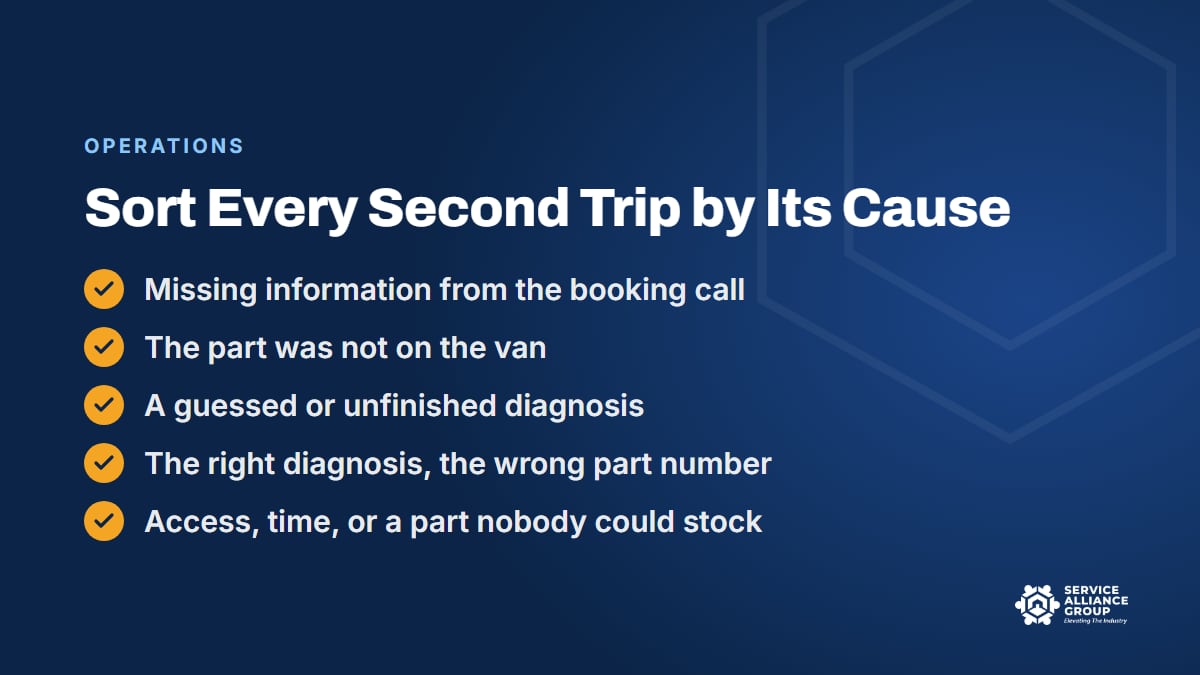
- Missing information. The booking call never captured the model number, the error code, or the fact that it is a gas dryer stacked in a hall closet.
- The part was not on the van. The diagnosis was right and the part is common, but the bin was empty.
- A guessed or unfinished diagnosis. A part was ordered off a code or a hunch, and the confirming test never happened.
- The right diagnosis, the wrong part number. A model suffix got dropped, an old number had been replaced, or a digit was typed wrong.
- Access, time, or a part nobody could stock. Nobody was home, the job needed two people, the day ran out, or the part was backordered.
The biggest pile shows where your first-time complete rate is leaking, and that is where you start. If most second trips trace back to an empty bin, a better booking script will not move the number. If most trace back to guessed diagnoses, more parts on the van only make the guessing more expensive.
The first four ways below follow the same order as the piles, and the fifth is the habit that keeps every pile from growing back.
1. Start the Diagnosis on the Booking Call
A good first visit starts before the truck rolls. The person answering your phone can collect most of what the tech needs in a couple of minutes, as long as they know what to ask:
- The full model and serial number, from a photo of the tag sent by text. When a customer reads the number aloud, an O turns into a zero and the suffix gets dropped.
- The error code exactly as displayed, by photo when the customer can take one.
- The symptom in the customer's words, when it started, and what changed right before it: a move, a power outage, a new install, or a fix someone already tried.
- The fuel and the setup: gas or electric, built-in or freestanding, stacked, upstairs, or squeezed into a closet.
- Home warranty details, so the office knows the warranty company's rules before the tech arrives.
The CSR collects information. The CSR does not diagnose, quote the repair, or tell the customer what to try. Our free Appliance Repair CSR Course teaches intake and discovery, along with booking the call and presenting the diagnostic fee.
Prep tomorrow's jobs today
The afternoon before, the dispatcher or the tech should walk through tomorrow's jobs: pull the service information for each model, check for service bulletins, note the likely parts, and confirm those parts are on the van. Our pre-service checklist lays out the full routine.
The same review decides who goes. A refrigerator job that points into the sealed system needs a tech who holds EPA Section 608 certification, and a stacked laundry pair in a tight closet may need two people. Sending the right tech is as much a first-time complete rate decision as a scheduling one, which is why our guide to effective dispatching strategies starts with matching the tech to the job.
2. Build Van Stock From Your Own Job Data
Every job in the empty-bin pile is a job the tech diagnosed correctly and still could not finish. It is also the easiest pile to shrink, because the fix is a list, not a skill.
Start with your parts history for the last six to twelve months and rank each part number by how often it was installed. Parts you install often that cost little to carry compared with a return trip belong on the van. Expensive, model-specific parts usually get ordered per job. Our van stock and inventory management guide covers min and max levels, restocking, returns, and dead stock.
Then keep a second list that is easy to skip: the parts behind your second trips. Every line on it is a return visit you already paid for, which makes it the most direct van stock lever on your first-time complete rate. A simple starting rule: when the same part number shows up twice in a quarter, it earns a bin, and when a stocked part has not moved in a year, its bin goes to something that has.
Two habits keep the van honest:
- Stock each van for its tech's board. A tech who runs mostly laundry calls needs different bins than the one who takes the refrigerators.
- Restock on a schedule. A perfect list does nothing if the drain pump bin has been empty since Tuesday. Pick a day, count against the list, and refill.
3. Confirm the Diagnosis With the Service Manual Before You Order
The most expensive second trip is the one where the part was ordered, driven out, and installed, and the machine still does not work. Now the job is headed for a third visit, the customer has waited twice, and the part you installed may not be returnable at all.
That trip usually starts with a skipped test. The code pointed at a circuit, the tech knew what tends to fail on that circuit, and the part got ordered without the check that would have confirmed it. Sometimes the guess is right, which is exactly why the habit is so hard to break.
A guess can also look right for a week. Replace a part that failed without finding what made it fail, and the machine runs until the same cause takes out the new part. Callbacks like that hurt the most, because the customer paid for a repair that did not last.
Make it a shop rule: no part gets ordered until the test procedure confirms it, and the test result goes in the job notes. Three things keep the rule working:
- The right document. The tech sheet inside the machine first, then the service manual for that exact model number, suffix included. A sister model's manual is where confident wrong answers come from.
- The whole procedure, in order. Manuals usually put the quick, cheap checks first for a reason. Skipping straight to the expensive part is how a loose connector turns into a control board order.
- A second set of eyes. With the test result in the notes, a lead tech or the office can look over the order before it goes out.
Newer techs tend to guess more, often because calling the senior tech feels like admitting they are stuck, and it shows in their first-time complete rate. Give every tech a faster path to the answer in the manual and the guessing has less room to happen.
4. Get the Right Part the First Time
A correct diagnosis can still end in a wrong part, and it tends to happen in the same few ways:
- An incomplete model number. A missing suffix or a different serial range can change the part, even between machines that look identical from the front.
- A replaced part number. Manufacturers supersede part numbers, so an old number on a bin label or a saved order can point at a part that no longer ships.
- A typo. Someone reads the number off a phone photo, keys it in by hand, and one digit lands wrong.
- An assembly mix-up. The component is only sold as part of a larger assembly, or the order grabbed the whole assembly when the small part was all the job needed.
Build an ordering routine that catches all four. Pull the number from the parts list for the exact model and serial, check your distributor's catalog for a newer number, and paste it instead of retyping it. Then check price and stock before anyone promises the customer a date. A long backorder changes the repair-or-replace math, and the customer deserves to hear about it before saying yes.
Check the box before you book the return visit
When the part arrives, check the part number on the package against the order and the job before the return visit gets booked. Wrong parts do get shipped now and then, and finding that out in the customer's laundry room turns a two-trip job into a three-trip job.
Then label the part with the job number and book the return visit the day it lands, with the same tech whenever you can.
5. Write Down Every Fix and Review Your Callbacks
Job notes are how a shop finds out why its first-time complete rate moved. A note that says "replaced part, working" helps nobody. A useful note answers four questions:
- What did the customer report, and what did the tech see?
- What test was run, and what did it show?
- What part was installed or ordered, and why that part?
- What should the next tech know about this machine?
Add photos of the model tag and the failed part. When that machine comes back, the second tech starts from the first tech's test results instead of starting from zero. Over a year, those notes become a record of the models your customers own, the failures your techs see, and the parts that fixed them. That record feeds straight back into van stock.
Review second trips and callbacks every week
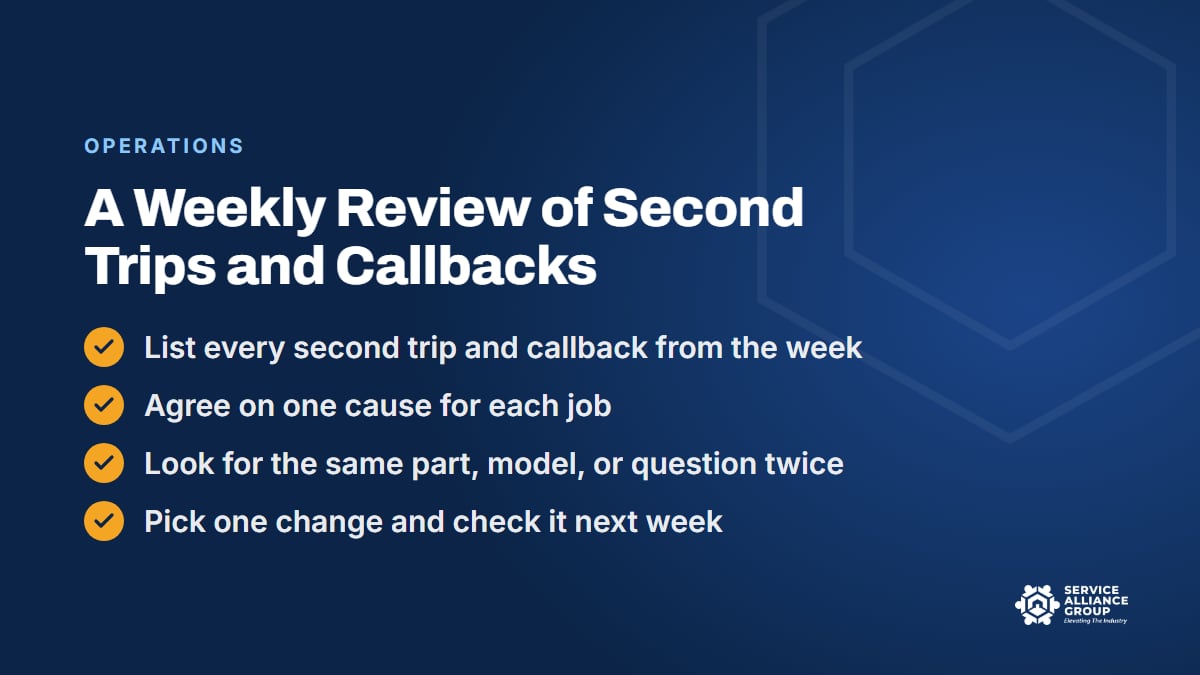
Once a week, list every second trip and every callback from the past seven days. Agree on a cause for each job, then look for repeats: the same part, the same model, the same missing question, the same tech.
End with one change, not ten. Add a question to the booking script, a part to the van, or a step to a procedure, or coach one tech on one habit. Next week, check whether the change moved anything.
Keep the review about the system, not blame. If callbacks cluster around one tech, coach in private instead of posting a scoreboard in the break room. Be careful, too, about paying bonuses on the first-time complete rate alone, because a tech paid only to close on the first visit has a reason to dodge hard jobs. Pair it with callbacks and the incentive points the right way.
Write the fixes you settle on into your standard operating procedures so they outlast the meeting. In the SOP Library, the Operations category and the Parts and Warranty category both have editable documents to start from.
Where Appliance Atlas and the S.O.S. Course Fit
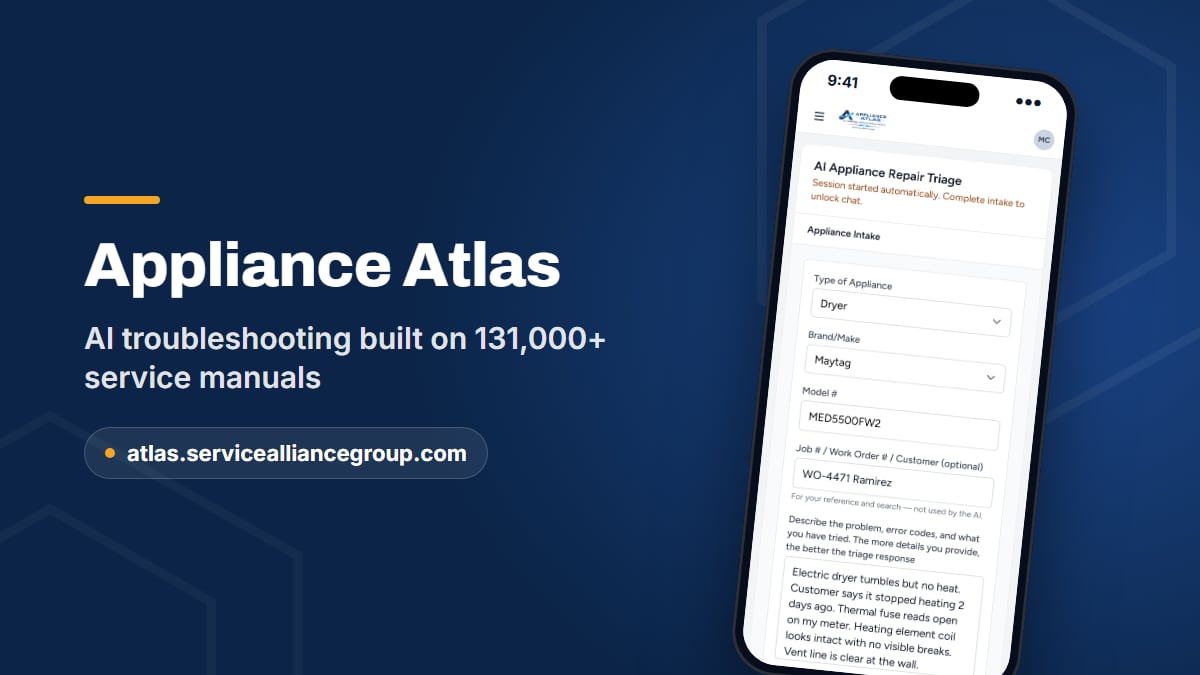
Two of the five piles behind a low first-time complete rate trace back to one moment: a tech in front of the machine, deciding what to test and what to order. Appliance Atlas is built for that moment.
The tech enters the brand, model, and symptom. Atlas pulls the service documentation for that exact model from a library of 131,000+ service manuals and answers from it: what the error code means on that machine, the test procedure, and the component checks. When the test points at a part, Atlas confirms the OEM part number against a live wholesale catalog, with price and stock, before anyone places the order.
Searches are saved and searchable, so an answer found last month is still there when the model comes back. Seats cover the whole crew, missing models can be requested from inside the app, and manuals download as PDFs for pre-call prep. Atlas is a standalone subscription built for a phone in the field, with its own sign-up at atlas.servicealliancegroup.com.
The other piles are about systems, which is what the S.O.S. Course teaches. Its Operate stage includes the lesson Engineering Your First-Time Fix Rate, alongside call conversion, van stock, and dispatch and route density. The whole course runs 70 lessons, with 70 downloadable tools that include 12 live spreadsheets. To see what a second trip really costs your shop, start with your cost per billable hour from the free Cost of Doing Business calculator.
Frequently Asked Questions
What is a good first-time complete rate for an appliance repair shop?
No single first-time complete rate (or first-time fix rate) fits every shop, so be skeptical of anyone who quotes one without knowing your job mix. A shop with lots of home warranty work or model-specific boards will usually run lower than one doing mostly dryers and washers. Measure your own baseline for a few months, split by job type and tech, and watch callbacks alongside it.
Should callbacks count against the technician?
Track callbacks by technician, but review them as a system first. Plenty of callbacks start before the tech arrives: a booking call that missed the model number, a van that was never restocked, a distributor that shipped the wrong part. When the cause really is the tech's work, coach it privately and give it time. A pattern that does not change after coaching is a management decision.
How can a small shop track its first-time complete rate without new software?
A spreadsheet works fine. Log every job with the date, the tech, the appliance type, whether it needed a second visit, and the cause if it did, plus a column for callbacks. If your field service software can export those fields, use it. A one-truck shop can keep the log by hand in a few minutes at the end of each day, as long as every job is recorded the same way.
Does pre-ordering parts raise the first-time complete rate?
It can, but it bends the rule of testing before you order, so keep it a narrow exception. It only makes sense when the model number and the symptom point clearly at one part, and the risk when the guess is wrong is a restocking fee or a part that cannot go back. Write a rule for when your shop pre-orders, such as a customer deposit first, and track the returns it creates next to the second trips it saves.
Rework will never hit zero, and it does not need to. Find your biggest pile, fix the cause, and check your first-time complete rate and callbacks again next week. If you want to compare notes with owners working on the same problem, bring your numbers to The Alliance community on Facebook.